
When Bluetooth keeps cutting out, the causes are documented and finite: interference on the crowded 2.4 GHz band, distance and obstacles, conflicts with other paired devices, low battery, and an outdated Bluetooth version on the headphones. The makers publish the same short checklists: Sony lists distance, interference, obstructions and battery charge; Bose points at other devices still paired to your headphones; Samsung flags a Wi-Fi network sharing the frequency band. This page walks each cause with its fix, in the order worth trying them.
Fixes on this page were checked October 2026. Every cause section names the maker whose support article documents it, and the fix follows the cause.
Why Bluetooth keeps cutting out: the documented causes
Audio that drops is not a mystery; it is a short list, and the manufacturers publish it. Sony's disconnect article treats a Bluetooth link as what it is, a short-range radio connection, and gives four checks: distance, interference, obstructions and battery charge (Sony support). Jabra's version for headsets adds low battery, interference, device compatibility, how many apps are running and range (Jabra support). Bose's intermittent-audio article for its around-ear headphones aims at a different cause entirely: other devices still paired to the headphones (Bose support).
Notice what is not on any of those lists. Bluetooth rarely drops because a codec is wrong, because a file is high-resolution, or because the headphones are faulty; the documented causes are all conditions around the link. That is good news for triage: every cause below has a fix that costs minutes and nothing to buy.
One pattern is worth noticing before the detail: drops that started after a change usually trace back to that change. A new router, a new phone in the house, a second device paired to the headphones, or a firmware update on either end; each maps to one section below.
What the symptom pattern tells you
The four documented causes leave fingerprints, and reading them first saves an afternoon of blind retrying. Bursts of drops that line up with a second device waking, a laptop opening, a watch notifying, are the multipoint pattern. A constant low stutter that follows you around the house, better in one room and worse next to the router, is the band-interference pattern. Drops that only happen in specific spots, the far end of the flat, the garden, the upstairs back room, are distance and obstruction. And drops that grow toward the end of a listening session, or vanish the moment you charge, are the battery pattern.
Two habits make the read honest. Change one thing at a time, because fixing two variables at once leaves the cause unknown even when the drops stop; and give each test a few minutes, because a link that survives five minutes of steady playback has usually cleared the specific failure you were chasing. The pattern plus one test per cause is the whole diagnostic, and it needs no equipment beyond the two devices already in the loop.
Interference: the 2.4 GHz crowd
Bluetooth and ordinary Wi-Fi live in the same 2.4 GHz band, and Samsung's own headphone FAQ says so plainly: a 2.4 GHz Wi-Fi network in the same frequency band is a cause of Bluetooth disconnects. The practical moves follow from the physics of sharing a band:
- Move the Wi-Fi that matters onto the 5 GHz band, where Bluetooth does not live, and leave 2.4 GHz for everything else.
- Keep the two source devices apart: a router sitting on top of a Bluetooth transmitter guarantees contention.
- Change the Wi-Fi channel if the drops cluster in one room; crowded channels are the interference both Sony and Jabra list.
The room tells you which fix applies. Drops everywhere in the house point at the router and the band; drops in one corner only point at that corner's layout, which is the next section. Interference also explains the classic kitchen case: Sony's article names microwaves alongside Wi-Fi among the wireless signals that affect Bluetooth, so a running microwave and stuttering headphones are the same shared band at work.
Jabra's app-load entry sounds like an odd fit here, but it lands in the same place: a phone buried under heavy apps services its radios worse, and a restart clears the deck. It is the one software entry on the cause list that costs nothing to try, and it pairs naturally with the router check above it: restart the phone, restart the router, then listen for ten minutes in the problem room before changing anything else. Most band problems that survive that pass belong to the neighbours' routers rather than yours, which is when moving the listening spot or upgrading the router's band plan earns its keep.
Distance and obstacles
The range on a Bluetooth box is line of sight, and obstructions are one of Sony's four checks. Walls and corners count. So does a floor: the headphones that hold a link downstairs can drop it upstairs, not because the hardware changed but because the signal now passes through structure. The cheap test costs nothing: bring the two ends into the same room and see whether the drops stop. If they do, the fix is placement, not equipment, and a longer antenna or a relocated source ends the recurring cutouts.
Body-blocking deserves its own sentence, because it is the most common hidden obstruction: a phone in a back pocket puts several centimetres of water-rich human between the radios, and water absorbs this band. Same-side pocket, armband, or a phone on the desk instead of in a bag; each variant is the same fix, removing the obstacle Sony's checklist names.
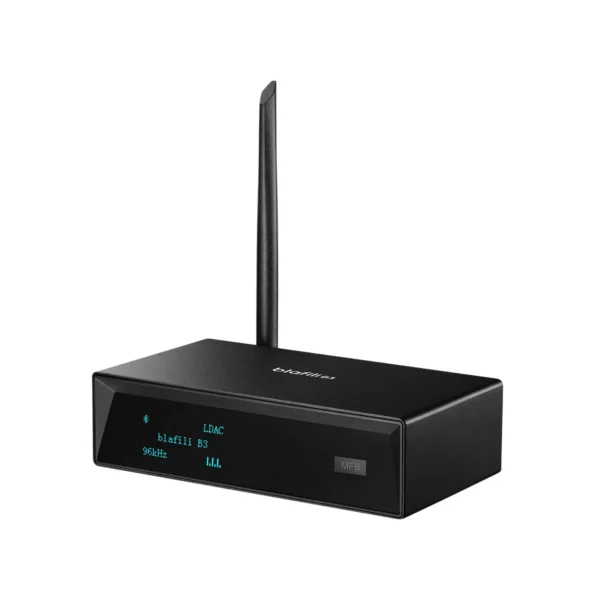
A receiver placed in the open, away from the router, holds a steadier link than one buried behind a TV cabinet next to the Wi-Fi box. If your chain ends in a Hi-Fi, give the receiving end line of sight too: the receiving radio struggles behind metal shelves exactly the way the transmitting one does in a pocket.
The multipoint problem
Headphones and car kits that pair with two devices at once have a second failure mode: they can spend their time hunting between connections. Bose's article is explicit about the remedy: turn off Bluetooth on the secondary devices paired to the product, and clear the pairing list if the drops continue. In practice:
- If the headphones connect to the laptop and the phone, close the laptop's link before listening from the phone.
- Clear the pairing list on the headphones and re-pair only the devices you actually use together.
- In a car, take the spare phone out of the pairing loop; the head unit holds one hands-free link comfortably, not three.
The multipoint feature is convenient, and it is also the first thing to switch off when audio starts stuttering. The symptom fingerprint helps you catch it: multipoint drops come in bursts when the second device does something, a notification, a screen wake, while band interference hums along constantly.
Battery, software and the source device
The quiet causes sit at the ends of the link. Battery charge is on Sony's four-check list and low battery is on Jabra's; both ends matter, because a transmitter saving power throttles its radio. The habit that solves it is dull and effective: charge the headphones before the suspicion starts, and check the phone is not in a low-power mode that trims its radios.
App load is Jabra's remaining entry, and Bose's help article adds an outdated Bluetooth version on the headphones to its checklist. Software on both ends changes drop behavior, sometimes arriving mid-session: updating the headphones and the phone, then re-pairing once after the update, is the order that respects that.
The source device itself is the last variable. Samsung's TV FAQ notes that headphones made exclusively for mobile devices cannot connect to its TVs, which is a compatibility limit, not a fault; and a phone in a thick case, a pocket, or a bag adds exactly the obstruction Sony's checklist asks about. When everything else checks out, playing from a different source settles whether the headphones or the source is the problem, and that answer decides what gets replaced, if anything.
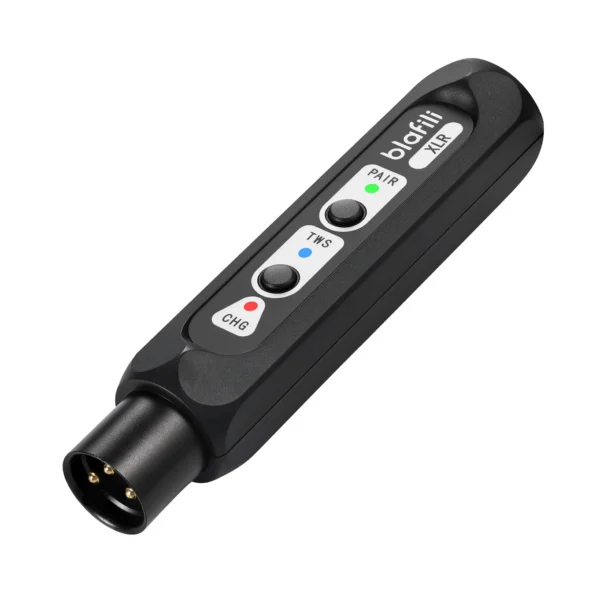
A receiver wired into the Hi-Fi holds a fixed position with mains power, which removes battery and pocket variables from one end of the chain.
The order worth trying
Five steps, cheapest first, and each maps to a section above:
- Re-pair from scratch. Unpair, restart both ends, pair again; this is Bose's opening move for a weak connection.
- Shorten the distance and clear the line of sight. Same-room test first, placement fix second.
- Fix the band. Move Wi-Fi to 5 GHz, separate router and Bluetooth gear, change crowded channels.
- Reduce pairings. One connection at a time; turn off Bluetooth on secondary devices and clear stale pairings.
- Charge and update, then swap the source. Battery on both ends, software on both ends, and a second source device to isolate the guilty end.
Run the list in order and most chains stop dropping at step two or three. If the audio stops dropping but arrives late, that is a different problem with a different toolkit: the delay guide collects those fixes, and the latency tester puts a number on the chain. For TV-specific pairing trouble, the TV audio guide has the per-maker menus.
FAQ
Samsung's own headphone FAQ names two TV-specific causes: a 2.4 GHz Wi-Fi network running in the same frequency band, which causes disconnects, and headphones made exclusively for mobile devices, which cannot connect to its TVs at all. Re-pairing from scratch and moving the headphones closer to the set clears most cases; our TV audio guide carries the full TV-side checklist.
Obstruction is one of Sony's four documented disconnect checks, and your body is an obstacle: a phone in the far pocket puts you between the two radios, and Bluetooth behind the body weakens. Moving the phone to the same side as the headphones, or into line of sight, is the standard first test.
Yes. Bose's intermittent-audio article for its around-ear headphones asks you to turn off Bluetooth on the secondary devices paired to the product, because a headphones set holding multiple connections can hunt between them, and to clear the pairing list if drops continue. Fewer simultaneous pairings, steadier audio.
The same four causes with car geometry on top. The cabin is a metal box that bounces and blocks the signal, the phone tends to sit in a pocket or a console, and family cars often carry several phones paired to the head unit, which is exactly the multi-device conflict Bose documents; turn off Bluetooth on the phones not in use. Our car guide covers the receiver side of that chain.
No, and the distinction matters. Cutting out is a link dropping and recovering, and the fixes are on this page. Delay is audio arriving late while the link stays up, a codec-and-chain property; our delay guide covers those fixes, and the latency tester on this site measures your chain in the browser.
blafili B3 Bluetooth Receiver
XLR, RCA, optical and coax outputs with an OLED front panel, built on the QCC5125 + ES9018K2M platform. A wired amp or receiver, put on a wireless source.
- Sony UK support, "Why does the Bluetooth connection of my headphones or wireless speaker drop/disconnect?" (Article 00294247): "The four primary causes are distance, interference, obstructions, or battery charge."; Bluetooth "operates on a radio frequency that can be affected by other wireless signals, such as Wi-Fi or microwaves". sony.co.uk/electronics/support/articles/00294247, accessed 2026-10-01
- Bose support, "Intermittent audio from product | SoundLink around-ear headphones": "we recommend turning off Bluetooth on your secondary device"; clear the product memory of previously connected devices. support.bose.com/s/article/slae-headphonearn-intermittent-audio-from-product---ka08c000001buk3aaa, accessed 2026-10-01
- Bose, "Why Do My Headphones Keep Cutting Out?": weak Bluetooth connection as the culprit; unpair, restart and re-pair; an outdated Bluetooth version on the headphones among its checks. bose.com/stories/why-do-my-headphones-keep-cutting-out, accessed 2026-10-01
- Jabra support, "Why Does My Bluetooth Headset Keep Disconnecting?": low battery, interference, device compatibility, too many apps and range as five of its seven cause sections. jabra.com/fq/bluetooth-headset-disconnecting, accessed 2026-10-01
- Samsung official FAQ, "How to connect Bluetooth headphones to my Samsung Smart TV": 2.4 GHz Wi-Fi in the same frequency band as a cause of disconnects; mobile-only headphones cannot connect. samsung.com/ie/support/tv-audio-video/how-to-connect-bluetooth-headphones-to-my-samsung-smart-tv/, accessed 2026-09-25 (verified on our TV audio guide)
- Samsung US support ANS10006960 and ANS10006968, pairing Bluetooth audio to Samsung TVs. samsung.com/us/support/answer/, accessed 2026-10-01