
To add Bluetooth to a car, pick one of four paths by what the car already has: use the built-in Bluetooth if the stereo pairs phones, plug an aux-in Bluetooth receiver into the 3.5 mm jack, ride an FM transmitter through the radio when there is no input at all, or replace the head unit outright. Each path trades money and install effort against sound path and features; the comparison table at the end lines them up. Nothing here requires rewiring the car beyond a standard head-unit swap.
Paths on this page were checked October 2026. Each section names what it needs from the car, and the comparison table at the end lines the four options up side by side.
First, check what the car already has
Plenty of cars built in the last decade already pair a phone; the feature hides in the head unit's settings more often than it is missing. Look for a Bluetooth or phone menu on the stereo, a speak button on the wheel, or a microphone hole near the mirror, and check the manual before buying anything. Factory systems tuck the menu under Setup, Phone or Settings depending on the maker, and some pair from the phone's own Bluetooth screen with the car sitting in discovery mode.
If the unit is an aftermarket stereo, its manual is explicit about what the Bluetooth section carries: Kenwood's current manuals, for one, print a one-line answer, SBC/AAC, right in the specifications, alongside the hands-free and streaming profiles. That matters for the swap path later, and it settles the iPhone question now: a unit documenting SBC and AAC covers an iPhone source completely.
Two things this check settles early. Whether any purchase is needed at all, and whether the stereo supports phone projection, which is a different feature from audio streaming. Android Auto and CarPlay handle projection, and their wireless setups both begin with a Bluetooth pairing step; our Android Auto and CarPlay records document those paths separately.
Path one: the aux-in Bluetooth receiver
The gentlest upgrade needs exactly one thing from the car: a 3.5 mm aux-in jack. A Bluetooth receiver plugs into that jack and takes power from a USB port or a 12 V adapter. The phone pairs with the receiver, and the stereo treats the whole arrangement as an auxiliary source, because that is what it is.
- What it needs: an aux-in jack plus USB power nearby.
- What changes: nothing permanent; the jack was already there.
- What it carries: stereo audio over the A2DP profile every phone supports, and hands-free calling on receivers with a microphone.
Car-specific receivers are built for the job, powered and mounted for the cabin rather than the desk. Connections differ by product, so read the outputs before buying: the blafili CAR receiver connects through RCA outputs and its own page states plainly that it has no 3.5 mm aux connector and does not suit systems that rely solely on one. An RCA-output receiver pairs naturally with factory amplifiers and head units carrying RCA inputs; a jack-only receiver belongs in the aux-in socket instead.
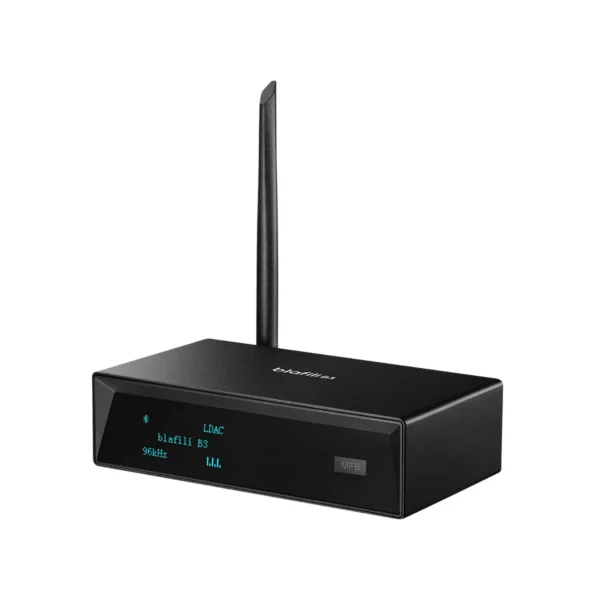
Placement is the whole installation. The receiver wants a spot with signal, which usually means not buried in a centre console behind the shifter; a dash edge or a vent mount keeps it near the phone and clear of the metal that cabins are made of. If the link stutters, the cutting out guide walks the cabin-specific causes: body blocking, other paired phones, and the 2.4 GHz crowd.
Path two: the FM transmitter
With no aux jack and no intention of opening the dash, the FM transmitter is the zero-install path. It plugs into the 12 V socket, the phone pairs it, and it broadcasts on a low-power FM frequency that the car radio then tunes in. The chain becomes phone, transmitter, FM band, radio.
The trade is inherent to the route: the audio rides the FM band, so a clean link depends on finding a frequency that is genuinely empty where you drive, and dense cities make that harder than open roads. The working method is to sweep the band for static, park the transmitter on the emptiest spot, and expect to re-tune on a long trip that crosses another broadcaster. Models with a passthrough 12 V socket keep the phone charging, which matters because the transmitter is one more thing draining it.
Nothing to install, and nothing that works everywhere; that is the honest bargain.
The daily routine makes or breaks the FM path. Tuning is a habit: the strongest empty frequency at home can carry a broadcaster two towns over, so a long drive means a re-scan, and the transmitter's own display keeps the target frequency where the driver can see it. Position helps the same way it helps every Bluetooth link, transmitter in the open near the radio's antenna rather than drowned in a door pocket, and a phone in the cradle rather than a bag keeps the first hop of the chain, the Bluetooth one, as short as the second hop is long.
Path three: replace the head unit
The full path replaces the stereo. A modern aftermarket head unit brings Bluetooth, USB, aux-in and often projection in one chassis, and the install is a standard single- or double-DIN swap with a vehicle-specific harness. What you gain on the audio side is documented per brand: today's Kenwood and JVC manuals list SBC/AAC (JVC's manual prints the same line as Kenwood's), one documented eXcelon flagship carried aptX, and Pioneer and Alpine document profiles without naming codecs at all. Our head unit codec page carries the full brand-by-brand record.
- What it needs: an install, a harness adapter, and an afternoon.
- What changes: the whole stereo, including its Bluetooth.
- What it gains: every input in one unit, and codec documentation you can check before buying.
Two practical notes from the install side. Check the dash kit and harness for the specific vehicle before ordering, because those adapters, not the head unit, decide how the swap goes; and if the car keeps steering-wheel buttons, the product pages for both the head unit and the harness say whether a control adapter is part of the deal. The Bluetooth side of the new unit behaves exactly like the manual says, which is more than a factory system usually promises.
Hands-free calls and music at the same time
The two Bluetooth jobs in a car run on different profiles, and the manuals print both. Streaming music uses A2DP, the stereo-audio profile; taking calls uses HFP, the hands-free profile that carries the call audio and the microphone; and Kenwood's specification page lists both, with the remote-control profile alongside. The practical meaning: a receiver or head unit that documents both profiles switches from music to a call and back without the phone doing anything visible.
When a caller cannot be heard, the cause is almost always placement of the microphone, not the profile. A mic clipped near the visor hears the driver; a mic buried in a console hears the drivetrain. This is the one part of a car Bluetooth install worth testing before the mounts go final, and whether a microphone ships in the box is on each receiver's own product page.
Where the phone sits matters
A car cabin is the least friendly place a Bluetooth link works: it is a metal box, the phone tends to live low in a console or a pocket, and the receiver or head unit sits behind a dashboard. The same physics that drop a link in a house apply, concentrated. A phone in the driver's pocket puts a body between the radios for half the trip; a phone flat in a centre console buries the antenna under an armrest's metal rail. Dash-edge placement, a vent mount or a cradle by the instrument cluster keeps the two ends of the link in line of sight, and on older cars that single habit often separates a chain that stutters from one that does not.
The cabin also multiplies the paired-device problem. A family car accumulates pairings: every phone that has ever connected sits in the head unit's memory, and a spare phone in a bag with Bluetooth on is exactly the secondary-device conflict Bose documents for headphones. Clearing the stale pairings from the unit and keeping Bluetooth off on phones that are not in use is cabin hygiene, and our cutting out guide carries the full checklist.
Choosing the Bluetooth path by what the car keeps
| Path | Needs from the car | Effort | Keeps the factory stereo |
|---|---|---|---|
| Built-in Bluetooth | Already there | None | Yes |
| Aux-in receiver | 3.5 mm jack + USB power | Plug in | Yes |
| FM transmitter | 12 V socket + FM radio | Plug in and tune | Yes |
| Head unit swap | Install space + harness | A real job | No |
The two plug-in paths share one limit: the car's own electronics stay as they are, so a stereo with no aux jack pushes the choice to FM or a swap. Families with two listeners in the back can look at transmitters that serve two receivers at once rather than one; that is a product feature, not a car feature, and it is worth checking on the receiver's own page.
FAQ
If the stereo has a 3.5 mm aux-in jack, an aux-in Bluetooth receiver is the cheapest real path: it plugs into the jack, takes USB power, and the phone pairs the receiver. With no aux jack at all, an FM transmitter is the zero-install option; it trades install effort for a dependency on finding a free FM channel in your area.
Yes, because stereo audio over Bluetooth rides the A2DP profile that every phone supports. The codec the link negotiates differs by pair, and iPhone sources carry AAC while many head units document exactly SBC and AAC; the current Kenwood and JVC manuals, for example, print that codec line outright.
No. Android Auto and CarPlay are projection systems that mirror an interface on the car screen, and both start with a Bluetooth pairing step in their wireless setups. Plain Bluetooth audio streaming, what the four paths on this page add, just carries sound and hands-free calls without projecting anything.
Yes, two of the four paths work without any audio input. An FM transmitter needs only a 12 V socket and a tunable FM radio, and a head-unit replacement brings its own aux, USB and Bluetooth in one swap. The aux-in receiver path is the one that genuinely requires the 3.5 mm jack.
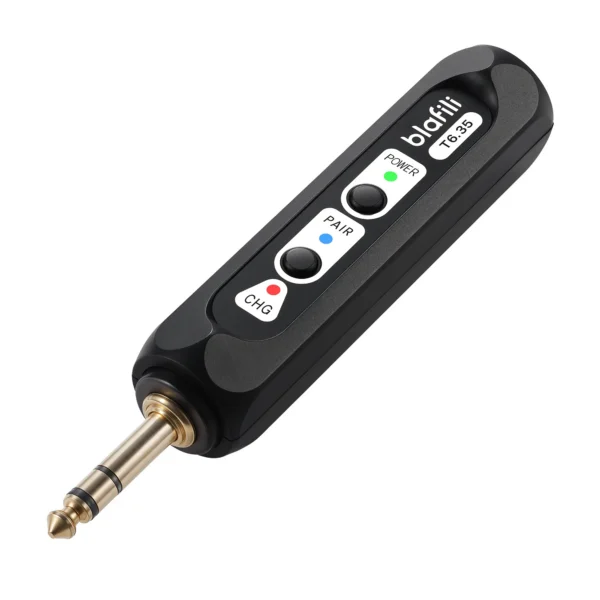
blafili CAR Bluetooth 5.2 Receiver
A Bluetooth 5.2 receiver built for the car, with hands-free calling and RCA outputs, no head unit replacement needed. Keep the stereo you have and add a wireless source.
- Kenwood instruction manual, DDX396/DDX376BT/DDX276BT: specification section line "Audio Codec SBC/AAC"; profile lines HFP 1.6, A2DP 1.3, AVRCP 1.5. manual.kenwood.com/en_contents/attachDownload/103711, accessed 2026-10-01 (quoted on our head unit page)
- JVC instruction manual, KW-V440BT family: specification section line "Audio Codec SBC/AAC". jvc.net/cs/car/common/func/downloadfile.php?file=B5A_2150_00&code=KW-V440BTM, accessed 2026-10-01 (quoted on our head unit page)
- Bluetooth SIG, Advanced Audio Distribution Profile 1.3.2: the stereo-audio profile every phone carries. bluetooth.com/specifications/specs/advanced-audio-distribution-profile-1-3-2/, accessed 2026-10-01 (verified on our bitrate bench)
- blafili CAR Bluetooth 5.2 Receiver product page: Bluetooth 5.2, hands-free calling, RCA output with no 3.5 mm aux connector (stated on the page). blafili.com/product/blafili-car-bluetooth-5-2-receiver/, accessed 2026-10-01